Ase2Vyi
A downloadable aseprite-extension
Vyi Exporter for Aseprite
This extension allows you to export Aseprite layers to Vyi format for use with the Vylocity Game Engine.
Features
- Export individual layers to the Vyi format
- Export multiple layers at once
- Support for frame tags as named states
- Option to merge multiple layers
- Option to export all layers into a single icon
- Mark cels as skipped frames to exclude them from export
- Set the preview image of a icon
Installation
- Download the `ase2vyi.aseprite-extension` file
- Double-click the file to install it in Aseprite
- Follow the usage instructions below
Exporting a Single Layer
- Right-click on a layer in the layer panel
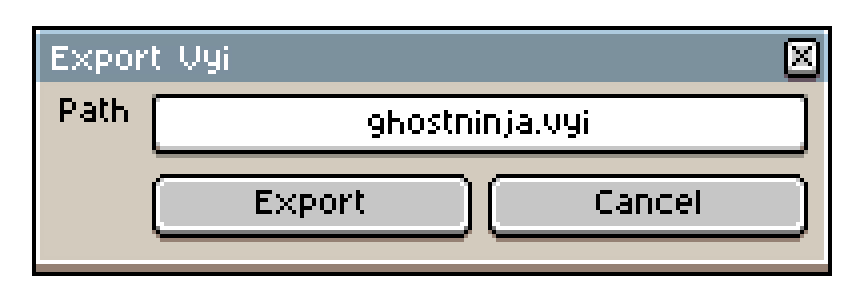
- Select "Export Vyi"
- Choose the save location
- Click "Export"
Exporting Multiple Layers
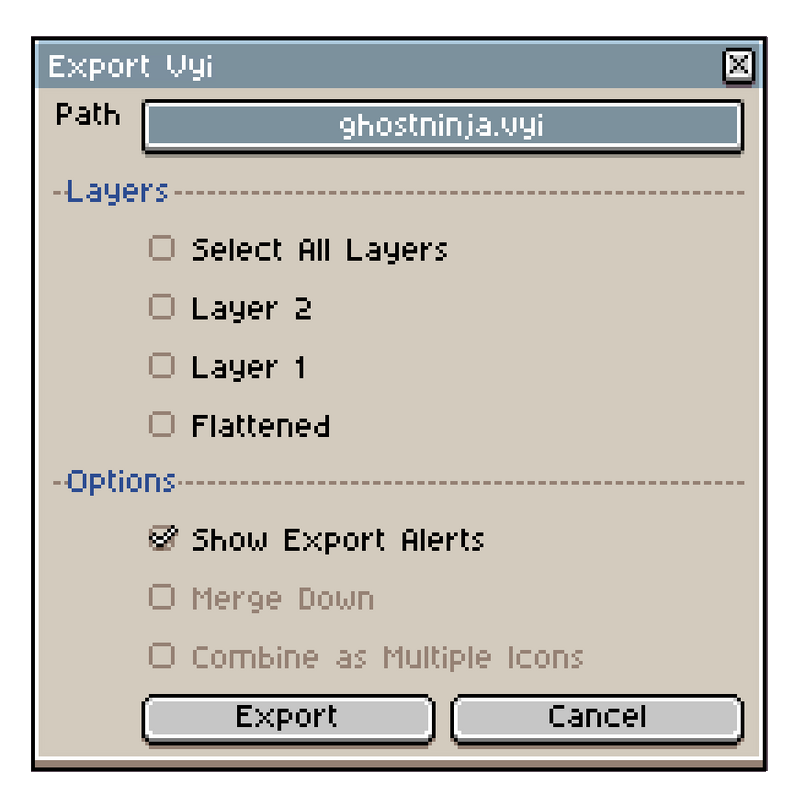
- Go to Sprite > Export Vyi
- Select the layers you want to export
- Optionally check "Merge down" to combine selected layers
- Optionally you can also check "Combine as multiple icons" to export all layers into the same icon
- Choose the save location
- Click "Export"
Skipping Frames
1. Select one or more cels in the timeline
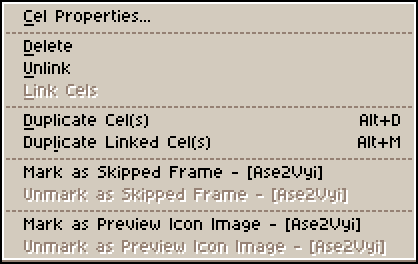
2. Right-click the selection and choose "Mark as Skipped Frame - [Ase2VYI]"
3. Marked cels will turn red in the timeline
4. Skipped frames are excluded from VYI export
5. To restore a skipped frame, select it and choose "Unmark as Skipped Frame - [Ase2VYI]"
Notes
- Layers without any cels cannot be exported
- Untagged frames will be named as "cel[n]" where n is a sequential number
- Skipped frames are tracked via cel user data and persist with the Aseprite file (do not manually change the cel user data pertaining to this extension)
- Go to Help > Ase2Vyi Help inside of Aseprite for additional information
Read / Write Permissions
This script creates a temporary directory to store temporary files needed to create the vyi.
The temporary directory is created here.
This extension needs to run a shell command to read/write these files.
You will be prompted via Aseprite for permission to run the script.
This alert will show each time the script needs to read/write. You can bypass this by granting the script full permission.
Enjoying It?
Consider leaving a rating!
Download
Click download now to get access to the following files:
Leave a comment
Log in with itch.io to leave a comment.